
Watching the World Cup live is no longer just about finding the right sports bar or hoping your cable package includes the right channels — in 2026, it’s about building a smart, flexible streaming setup that puts you in control of every single match, from the opening whistle in Mexico City to the final roar at MetLife Stadium. With 104 games spread across 16 cities and three countries, this is the most ambitious World Cup in history, and your viewing strategy needs to match the scale of the event. Whether you’re a die-hard supporter tracking every group stage result or a casual fan tuning in for the knockout drama, this guide walks you through everything you need to know — from broadcast rights and match schedules to the technical setup that ensures you never suffer through a frozen screen during extra time.
Table of Contents
The 2026 FIFA World Cup: Why This Tournament Changes Everything
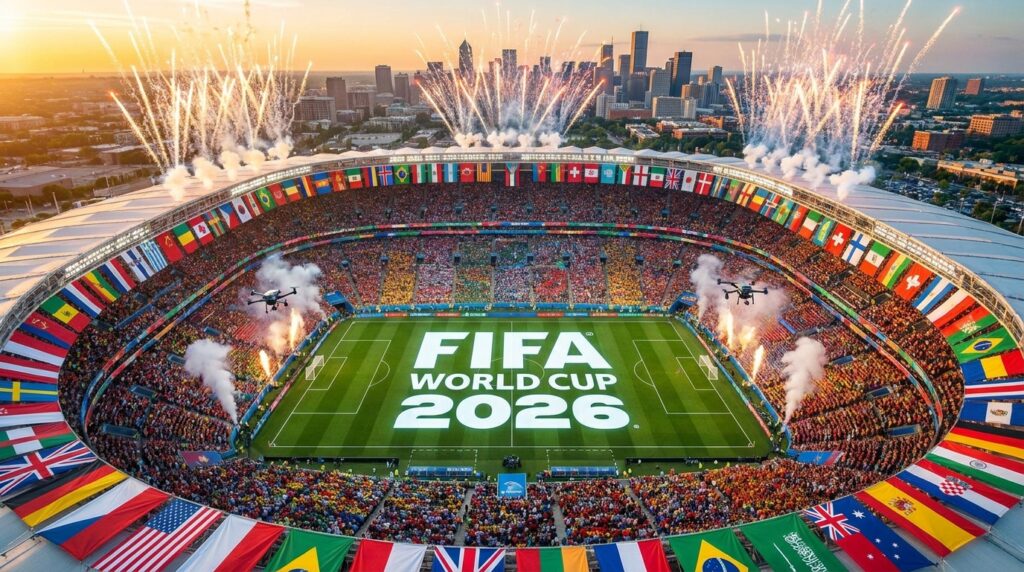
The FIFA World Cup 2026 is not just another edition of the tournament. For the first time ever, 48 national teams will compete across 104 matches, making it the largest World Cup in history by a significant margin. The three host nations — the United States, Canada, and Mexico — will collectively stage matches in 16 cities between June 11 and July 19, 2026.
This expansion creates a logistical challenge that’s just as real for viewers at home as it is for travelling supporters. On peak group stage days, multiple matches can run simultaneously across wildly different time zones. If you’re in London trying to catch a South American clash scheduled for US Central Time, or you’re on the East Coast of America trying to follow a European derby kicking off at noon local time, a reliable IPTV subscription becomes less of a luxury and more of an essential tool.
The sheer volume of content — post-match analysis, daily magazine shows, multilingual commentary — means that the traditional one-channel approach simply doesn’t cut it anymore. Fans want choice, flexibility, and consistency. That’s exactly what the right IPTV provider delivers.
Official Broadcast Landscape: Who Has the Rights?
Before diving into the technical setup, it’s worth understanding the official broadcast picture so you know what you’re working with regionally.
United States: FOX Sports holds English-language rights, broadcasting 70 matches on FOX and 34 on FS1. For Spanish-speaking audiences, Telemundo and its sister channel Universo will air all 104 matches alongside over 700 hours of surrounding programming, including the beloved Hoy en el Mundial and the late-night El Mundial After Dark.
Canada: TSN and CTV will provide live coverage of every single game — a strong offering for Canadian fans.
United Kingdom: BBC and ITV share free-to-air rights, meaning every match will be broadcast live and accessible without a subscription. England’s games will notably air on both channels simultaneously.
Rest of the World: Coverage varies dramatically by territory. Fans in markets where local broadcast rights are limited, or where preferred commentary languages aren’t available, often turn to an IPTV subscription to access international feeds. This is particularly relevant for the expatriate communities spread across the globe who want to watch their national team with commentary in their native language.
Why IPTV Is the Smart Choice for World Cup 2026
Let’s be direct: Watching the World Cup live through traditional cable or satellite has real limitations. You’re tied to your TV, you have no control over which feed you watch, and you’re paying for hundreds of channels you’ll never use. IPTV flips that equation.
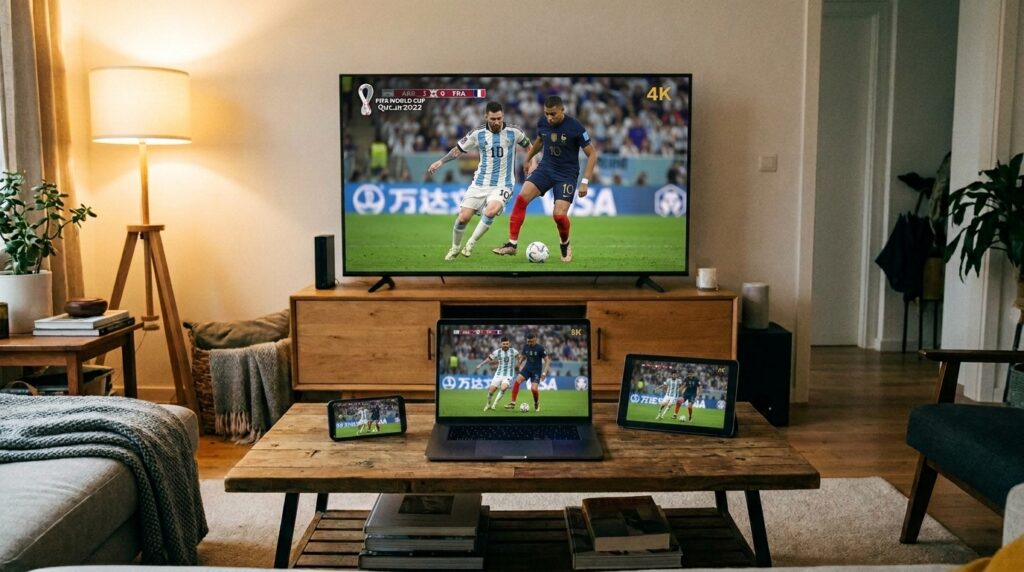
An IPTV subscription routes live television channels through your internet connection, which means you can watch on a smart TV, a laptop, a tablet, a phone, or a streaming stick — wherever you are. For a tournament this large, that flexibility is enormous. Imagine watching the USA group stage opener on your living room screen while simultaneously keeping one eye on a Brazil match on your tablet. That’s the reality a quality IPTV provider enables.
Beyond flexibility, the best services offer something cable simply cannot: international channel libraries. Want French commentary for a Les Bleus match? Arabic coverage for a North African team’s game? Spanish feeds from multiple Latin American broadcasters? A well-stocked IPTV subscription packages all of that into a single plan.
For the technically minded, IPTV also integrates seamlessly with modern streaming hardware and player software, giving you a far more customizable experience than any cable box. And when you’re specifically looking for iptv for Sports World Cup content, dedicated sports packages within IPTV services ensure you get curated channel lists focused entirely on live sports — no scrolling through cooking shows or home shopping networks.
Choosing the Best IPTV Service for World Cup Streams
Not all IPTV services are created equal, and during a tournament of this scale, the difference between a mediocre provider and a great one becomes painfully obvious. Server crashes, buffering during penalty shootouts, and sudden stream drops are nightmare scenarios that a Best IPTV Service actively works to prevent.
Here’s what to evaluate when selecting your provider:
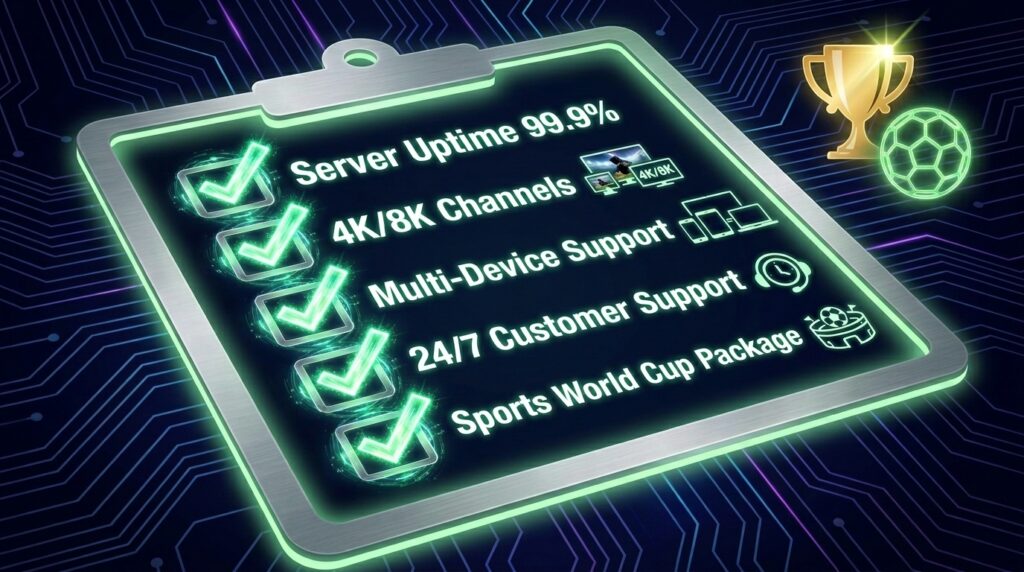
Server Uptime and Stability: During peak moments — think simultaneous group stage games or a high-profile final — demand on IPTV servers spikes dramatically. A Best IPTV Service invests in redundant server infrastructure specifically designed to handle traffic surges. Look for providers that publicly commit to 99.9% uptime guarantees and have a track record of delivering during major sporting events.
Channel Depth for Sports: Your priority is iptv for Sports World Cup coverage, so confirm that the service includes the specific broadcaster channels carrying World Cup rights in your target regions. A provider listing “10,000 channels” means nothing if FOX Sports, Telemundo, BBC One, ITV, and TSN aren’t all reliably in the lineup.
Resolution Options: The 2026 World Cup is expected to be broadcast in 4K HDR by multiple partners. A Best IPTV Service should offer HD as standard, with 4K streams available for flagship matches. Premium services like Bamo TV 8K take this further, targeting viewers with high-end display setups who want the absolute pinnacle of visual quality for major tournaments.
Multi-Device Support: A strong IPTV subscription should allow simultaneous connections across multiple devices. This is critical for households where different family members want to watch different matches simultaneously.
Trial Period and Customer Support: Reputable providers offer short trial periods so you can test performance before committing. Equally important is 24/7 customer support — because technical problems don’t wait for business hours, especially when a match is about to kick off.
The Hardware Question: Best Devices for IPTV Streaming
Choosing the right device is just as important as choosing the right service. Here’s a breakdown of your main options.
Amazon Firestick: This remains the most popular choice for IPTV streaming, and for good reason. It’s affordable, portable, easy to set up, and compatible with virtually every major IPTV application. If you want to setup IPTV on Firestick, the process is straightforward: enable apps from unknown sources in the developer settings, use the Downloader app to sideload your preferred IPTV player, and enter your subscription credentials. Once configured, the Firestick becomes a fully capable streaming hub that you can carry to a friend’s house, a hotel room, or anywhere else with a TV and Wi-Fi.
Android TV Boxes: These offer more processing power than the standard Firestick and can handle higher-bitrate 4K streams more comfortably. They’re the preferred choice for viewers prioritising ultra-high-definition quality, particularly when paired with Bamo TV 8K streams.
Smart TVs: Most modern Samsung, LG, and Sony smart TVs can run IPTV apps directly, though the app ecosystems can be more restrictive than dedicated streaming sticks. The easiest workaround is connecting a Firestick or Android box to your smart TV’s HDMI port.
Mobile Devices: For Watching the World Cup live on the go — at a fan festival, during a commute, or while travelling between host cities — a smartphone or tablet running a quality IPTV app is your best ally. Make sure your IPTV provider explicitly supports mobile streaming and that your app of choice is available on both iOS and Android.
IPTV Player Software: Your Gateway to the Stream
The player software you use has a direct impact on your viewing experience. Even a top-tier IPTV subscription can feel clunky if paired with a poorly designed app. Here are the two leading options.
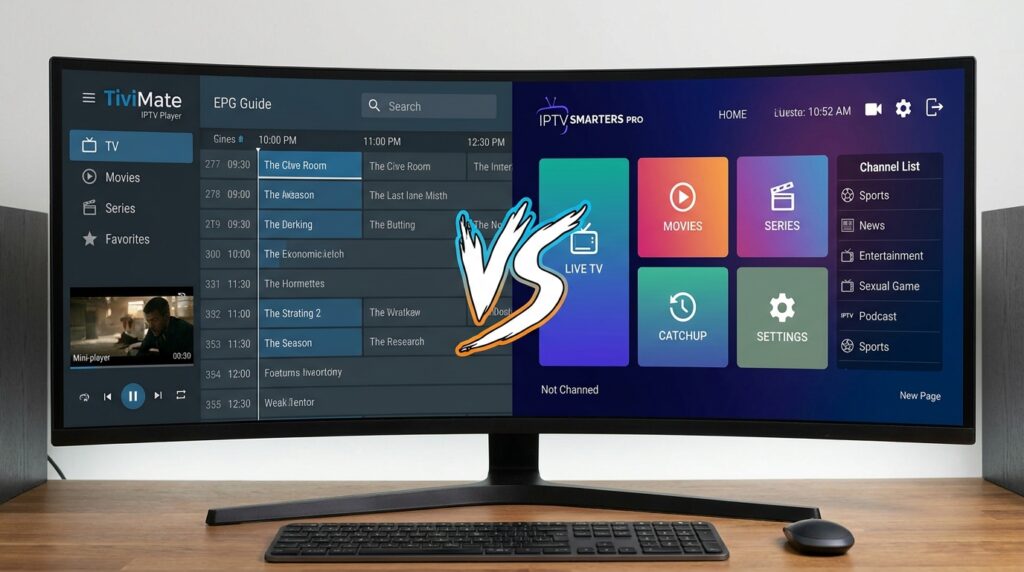
TiviMate IPTV Player
The TiviMate IPTV Player is widely considered the gold standard for Android-based IPTV viewing. Its interface is clean, intuitive, and closely resembles a traditional cable TV guide — which makes it immediately familiar for anyone switching from conventional television. Key features include an electronic programme guide (EPG) with multi-day scheduling, picture-in-picture mode for monitoring multiple streams simultaneously, catch-up and recording support, and multi-playlist management for users with more than one IPTV subscription.
For Watching the World Cup live, the TiviMate IPTV Player excels at letting you schedule reminders for upcoming matches, quickly switch between channels when games overlap, and maintain a favourites list of your key sports channels. If your primary device is a Firestick, this is the recommended first choice once you setup IPTV on Firestick.
IPTV Smarters Pro
IPTV Smarters Pro takes a different approach, built around a sleeker, more modern interface with strong multi-device account management. It supports both M3U playlist imports and Xtream Codes API connections, making it compatible with virtually every IPTV provider on the market. Its standout features include a built-in media player with multiple decoder options, series and VOD organisation, and parental controls.
Where IPTV Smarters Pro particularly shines is cross-platform flexibility — it’s available on iOS, Android, Windows, and Mac, making it the better choice for households with mixed device ecosystems. Many IPTV veterans keep both apps installed and switch depending on which stream performs better at any given moment, which is a genuinely useful strategy during a high-demand event like the World Cup.
The ongoing debate over the best iptv player between these two comes down largely to preference: TiviMate for its TV-guide feel, Smarters Pro for its cross-platform reach. Both are excellent, and both pair well with a quality Best IPTV Service.
Eliminating Buffering: The Technical Backbone
There is nothing more infuriating than watching a stream freeze at the 90th minute of a tied match. Achieving genuinely IPTV without buffering comes down to three interconnected factors: your internet connection, your device’s processing power, and your provider’s server quality.
Internet Speed: For HD streams (1080p), a consistent 25 Mbps connection is the safe minimum. For 4K HDR content from services like Bamo TV 8K, you’ll want at least 50–80 Mbps dedicated to the stream. The keyword here is consistent — a connection that averages 100 Mbps but frequently dips to 10 Mbps will buffer. Run a speed test at different times of day to get a realistic picture of your connection’s stability.
Wired vs. Wireless: If you’re serious about IPTV without buffering, connect your streaming device to your router via an Ethernet cable. Wi-Fi is convenient but inherently less stable, particularly in apartments or homes with interference from neighbouring networks. For Firestick users, an Ethernet adapter is a small investment that pays dividends during crucial match moments.
VPN Considerations: Some IPTV provider services recommend using a VPN to ensure privacy and to access geo-restricted regional feeds. If you do use a VPN, choose one with a strong reputation for streaming performance — a slow VPN will add latency and increase buffering risk. Select a VPN server geographically close to your actual location for minimal speed impact.
Player Buffer Settings: Both TiviMate IPTV Player and IPTV Smarters Pro allow you to manually adjust buffer size within their settings. Increasing the buffer slightly can smooth out minor network fluctuations without introducing noticeable latency — a useful tweak specifically for live sports where a few extra seconds of delay is far preferable to constant interruptions.
The World Cup Match Schedule: Planning Your Viewing Calendar
With 104 matches to follow, strategic planning is essential. Here’s an overview of the key phases.
Group Stage (June 11 – June 27): This is the most content-heavy phase, with up to eight matches per day during peak periods. Watching the World Cup live across the group stage requires either a very flexible schedule or a multi-screen setup. Having your IPTV subscription active well before June 11 lets you test your setup and troubleshoot any issues before the opening match — Mexico vs. South Africa in Mexico City.
Notable early fixtures include Canada vs. Bosnia and Herzegovina in Toronto on June 12, USA vs. Paraguay in Los Angeles on the same day, and Brazil vs. Morocco at the New York/New Jersey venue on June 13. England open their campaign against Croatia in Dallas, also on June 13.
Round of 32 (June 28 – July 4): The first knockout phase, unique to this expanded format. Every match is now elimination football, and the intensity ramps up significantly. This is where your iptv for Sports World Cup setup truly earns its keep — you cannot afford technical failures at this stage.
Quarterfinals (July 9–11) and Semifinals (July 14–15): At this point, the tournament narrows to the eight and then four best teams. Demand on streaming servers reaches its highest point outside the final itself. A proven Best IPTV Service that has been tested and verified through the group stage gives you confidence that it will hold up here.
The Final — July 19, MetLife Stadium: The conclusion of the tournament, hosted at one of the world’s great stadium venues in East Rutherford, New Jersey. Watching the World Cup live for this match is the single most-watched sporting event on the planet in 2026. Your setup needs to be perfect. Test everything at least 48 hours before kickoff.
Fan Festivals: Watching Live in the Host Cities
Not everyone will be attending matches in person, but the official FIFA Fan Festivals offer a fantastic communal viewing experience. These free public events screen all matches on giant outdoor screens, with entertainment, food, and fan activations surrounding each broadcast.
Confirmed Fan Festival Locations:
- Atlanta: Centennial Olympic Park
- Mexico City: The Zócalo — FIFA has described this historic square as the “Greatest Temple of Football”
- Los Angeles: LA Memorial Coliseum
- New York/New Jersey: Rockefeller Center and a dedicated Fan Zone in Queens
Even at these outdoor venues, many fans keep their phones active to track simultaneous matches happening in other groups. Having a mobile-friendly IPTV subscription configured on your phone means you never miss a result, even if the giant screen at the festival is showing a different game. The best iptv player apps on mobile are optimised for lower-bandwidth environments, which matters when you’re relying on mobile data in a crowded public space.
For fans setting up viewing parties — at hotels, rented apartments, or private venues — the setup IPTV on Firestick approach remains the simplest solution. Bring your configured Firestick, plug it into any HDMI television, connect to the venue’s Wi-Fi, and you’re streaming within minutes.
The IPTV World Cup Experience: Regional Commentary and Atmosphere
One underappreciated advantage of an IPTV World Coup setup is access to regional commentary that matches your emotional investment in the game. There is a fundamental difference between watching your national team play with home-nation commentary versus a neutral broadcast. The crowd noise interpretation, the emotional peaks during goals, the understanding of cultural context — it all changes based on who’s calling the match.
A comprehensive IPTV provider gives you that choice. Supporting a team from Africa, South America, Asia, or Europe? Chances are there’s a domestic broadcaster in that region producing the exact commentary style you want — and an IPTV World Coup package brings those feeds directly to your screen. This is something no domestic cable provider can replicate.
The IPTV World Coup experience also extends to surrounding programming: the pre-match tactical breakdowns, the post-match reaction panels, the overnight highlight shows. A well-rounded iptv for Sports World Cup package keeps you embedded in the tournament 24 hours a day throughout all seven weeks.
Optimization Checklist Before the Tournament Starts
Use this checklist to make sure you’re fully prepared before June 11:
Two Weeks Out:
- Subscribe to your chosen IPTV subscription and verify channel availability for your target broadcasts
- Setup IPTV on Firestick or your chosen device and complete a full test stream
- Install both TiviMate IPTV Player and IPTV Smarters Pro as primary and backup players
One Week Out:
- Confirm your internet connection delivers stable speeds for IPTV without buffering at your preferred resolution
- Set up your favourites list and EPG within your best iptv player of choice
- Test your IPTV provider‘s sports channels during a live sporting event to simulate real-world conditions
48 Hours Before Opening Match:
- Run a final test stream on all devices you plan to use
- Confirm your Best IPTV Service has issued no maintenance notices for June 11
- Verify that 4K channels from Bamo TV 8K or equivalent are streaming correctly if you’ve opted for ultra-high-definition
- Check that your iptv for Sports World Cup package includes all confirmed broadcaster feeds
Conclusion: Don’t Leave Your World Cup Experience to Chance
Watching the World Cup live in 2026 is a once-in-a-generation experience. With 48 teams, 104 matches, and a tournament running across North America for six weeks, the demand for reliable, flexible, high-quality streaming is at an all-time high. The good news is that the tools available to modern football fans have never been better — provided you take the time to set them up correctly.
Start with a reputable Best IPTV Service that explicitly supports high-traffic sporting events. Pair it with a quality best iptv player — whether that’s the interface-led elegance of TiviMate IPTV Player or the cross-platform versatility of IPTV Smarters Pro. Ensure your internet connection is robust enough for IPTV without buffering, and choose an IPTV provider with a proven IPTV World Coup track record in live sports delivery.
The tournament opens on June 11. The final closes on July 19. In between, there are 104 moments of football history waiting to unfold. Make sure you’re watching every single one of them in the quality they deserve — with a trusted IPTV subscription built for exactly this occasion.