Table of Contents
The Evolution of Streaming Habits
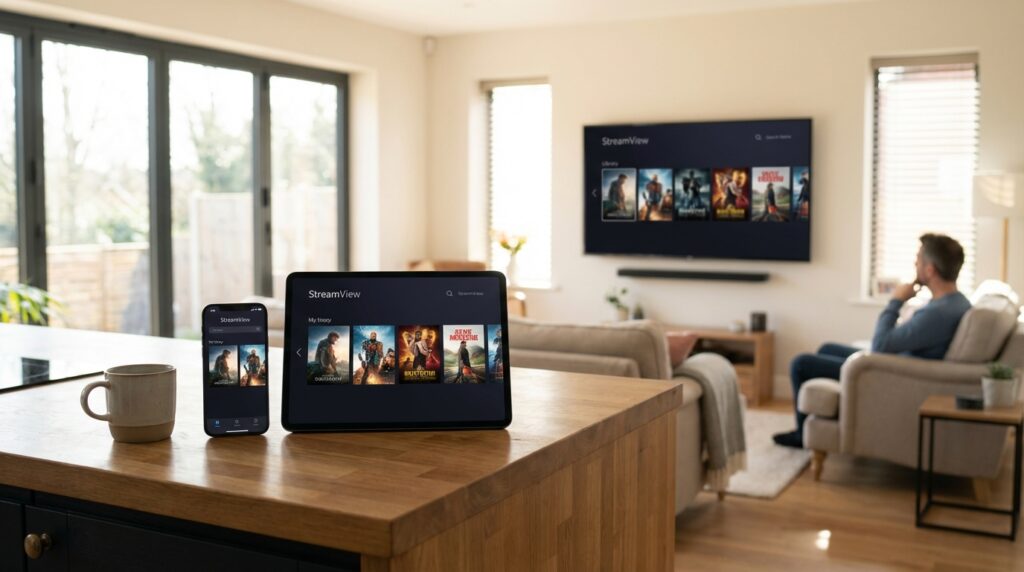
Not too long ago, watching your favorite show meant sitting in front of one television set, at a fixed time, on a channel someone else chose for you. That world is gone. Today, you might start an episode on your phone during your morning commute, pick it up on a tablet during lunch, and finish it on your Smart TV after dinner — all without a second thought. This is the multi-screen reality that defines modern viewership, and it has fundamentally changed what people expect from their streaming technology.
This behavioral shift is not a niche trend. It represents how the majority of connected households now consume entertainment. The average viewer toggles between three or more devices throughout a single week, sometimes within the same viewing session. That fluidity demands something powerful working quietly in the background — something capable of keeping pace without friction, lag, or confusion.
That something is an OTT player app.
At its core, an OTT (Over-the-Top) player is a media application purpose-built to organize, manage, and play digital streaming content across multiple platforms. Unlike traditional broadcast systems that rely on cable infrastructure, OTT players operate entirely through internet connections, giving users remarkable flexibility over what they watch, when they watch it, and on which device. The technology sits on top of existing internet services — hence the name “over-the-top” — delivering content directly to the viewer without intermediaries.
But here is the part most people overlook: not all OTT players are created equal. The difference between a frustrating streaming experience and a seamless one often has nothing to do with your internet package and everything to do with the quality of the application handling your content. A well-engineered OTT player app can compensate for moderate network inconsistencies, adapt to different screen environments, and present your media library in a way that feels effortless to navigate. A poorly built one will buffer, crash, and leave you staring at a loading spinner.
This guide breaks down the seven features that separate a high-performance OTT player from a mediocre one — and shows you exactly how a platform like IPTV Smarters Pro brings those features to life for millions of users worldwide.
Why OTT Player Features Are Critical to Performance
There is a widespread misconception in the streaming world: that picture quality and playback smoothness are entirely determined by internet speed. Pay for faster broadband, and your problems disappear. While connection speed is undeniably important, it tells only part of the story.
Think of your internet connection as a highway and your OTT player app as the vehicle driving on it. A wider highway helps, certainly — but if the vehicle is poorly engineered, has a sluggish engine, or lacks the intelligence to navigate efficiently, the journey will still be frustrating. The application itself determines how efficiently data is requested, buffered, decoded, and displayed on your screen.
Modern users are unforgiving when it comes to this experience. Research consistently shows that viewers will abandon a stream within seconds of encountering persistent buffering. They expect content to begin almost immediately after pressing play. They expect navigation menus to respond instantly. They expect to find what they are looking for without hunting through confusing interfaces or menus buried three levels deep.
Beyond raw performance, there is also the matter of trust. A reliable OTT player should feel stable — not like something that might crash mid-episode or lose your place in a playlist. It should handle your subscription credentials securely, respect your preferences across sessions, and behave consistently regardless of which device you happen to pick up.
This is precisely why the features built into an OTT player app are not just technical specifications on a product page. They are the direct ingredients of your daily viewing experience — and getting them right makes an enormous difference.

7 Essential Features for a High-Performance OTT Player App
1. Multi-Device Compatibility
The foundation of any modern OTT player is its ability to function across the full spectrum of devices people actually use. Android smartphones, iPhones, iPads, Samsung Smart TVs, LG Smart TVs, Amazon Fire Sticks, web browsers — the list of environments a quality streaming app must support is extensive and growing.
Multi-device compatibility is not simply about an app existing on multiple platforms. It is about delivering a consistent, optimized experience on each one. The interface should adapt intelligently to a touch screen without feeling like a desktop app crammed into a smaller frame. Navigation on a Smart TV should work smoothly with a remote control without requiring you to hover over tiny icons designed for a mouse cursor.
For users who own multiple devices — which today means the vast majority of streaming households — this compatibility transforms the OTT player from a single-device tool into a unified media ecosystem. Your content follows you, your interface remains familiar, and your experience stays consistent whether you are at home or traveling.
2. Smooth User Interface (UI)
A powerful engine means nothing if you cannot figure out how to drive the car. User interface design is one of the most underappreciated factors in OTT app quality, yet it directly impacts how much enjoyment people actually get from the technology.
A clean, well-organized UI accomplishes several things simultaneously. It reduces the mental load required to find and start content. It makes the platform accessible to users of all technical skill levels and age groups — from teenagers who grew up with smartphones to older viewers who may be less comfortable with digital interfaces. It creates a visual hierarchy that guides the eye naturally toward what matters: your content.
Cluttered layouts with competing visual elements, inconsistent iconography, or poorly labeled menus create friction. Every extra second a viewer spends confused about where to click is a second they are not enjoying your platform. The best OTT players invest heavily in UI clarity, treating simplicity not as a limitation but as a deliberate design achievement.
3. Fast Playback Performance
Speed is the feature that users feel most viscerally. When you press play and your content begins within one or two seconds, you barely think about it — the experience just feels right. When you press play and wait five, ten, or fifteen seconds before anything happens, the frustration is immediate and memorable.
Fast playback performance in an OTT player app comes from several layers working together: efficient data buffering algorithms, optimized video decoding, and smart resource management that does not overburden your device’s processor or memory. The best applications pre-load just enough content to begin playback almost instantly while continuing to buffer ahead in the background, making interruptions rare even on average connections.
This feature matters especially during peak usage hours when streaming traffic is heaviest. A poorly optimized app may struggle under these conditions, while a well-built one maintains performance through intelligent caching and request management.
4. Adaptive Streaming Quality
Real-world internet connections are rarely perfectly stable. Your bandwidth fluctuates throughout the day based on network congestion, distance from your router, how many devices are connected simultaneously, and a dozen other variables. An OTT player app that does not account for this will deliver a jarring experience — either locking you into a low-quality picture to avoid buffering or constantly interrupting playback when the stream cannot keep up.
Adaptive streaming quality solves this elegantly. The technology — often referred to as adaptive bitrate streaming — continuously monitors your available bandwidth and automatically adjusts the video quality in real time. When your connection is strong, you get the highest available resolution. When bandwidth dips temporarily, the quality steps down just enough to maintain uninterrupted playback, then steps back up once conditions improve.
Done well, this process is nearly invisible to the viewer. You may occasionally notice a slight shift in picture sharpness, but you will rarely experience the dreaded loading circle. For live TV streaming in particular, where you cannot pause and restart easily, adaptive quality is not a luxury — it is a necessity.
5. External Player Support
A sophisticated OTT player recognizes that users have preferences, and those preferences deserve to be respected. External player support allows viewers to route their streaming content through a third-party media player of their choice — such as VLC, MX Player, or similar applications — rather than being locked into the built-in playback engine.
This flexibility serves two important purposes. First, it accommodates users who have already developed strong preferences for a particular player’s interface or feature set. Second, it expands format compatibility. Different media players handle different video and audio codecs with varying degrees of efficiency, and having the option to select an external player means that unusual or specialized formats are far less likely to cause playback issues.
For power users and technically experienced streamers, external player support signals that an OTT app is serious about flexibility rather than forcing everyone into a one-size-fits-all approach.
6. Multi-Screen Convenience
We already established that modern viewing happens across multiple devices. Multi-screen convenience is the feature that makes this possible without frustration — specifically, the ability to pick up exactly where you left off when switching from one device to another.
This sounds simple, but the implementation requires synchronized progress tracking across platforms, reliable cloud-based state management, and quick authentication that does not force you to log in from scratch every time you switch devices. When executed properly, it creates a viewing experience that feels genuinely seamless — as though the content itself is following you rather than being tethered to a specific screen.
Beyond playback resumption, multi-screen convenience also encompasses consistent playlist management, preference syncing, and interface familiarity across platforms. The goal is to make every device feel like a natural extension of your streaming environment rather than a separate, disconnected experience.
7. Easy Setup and Access
The best streaming experience in the world means nothing if users cannot get started without a technical degree. Easy setup and access is the feature that brings everything else within reach — and it is one that many platforms underestimate.
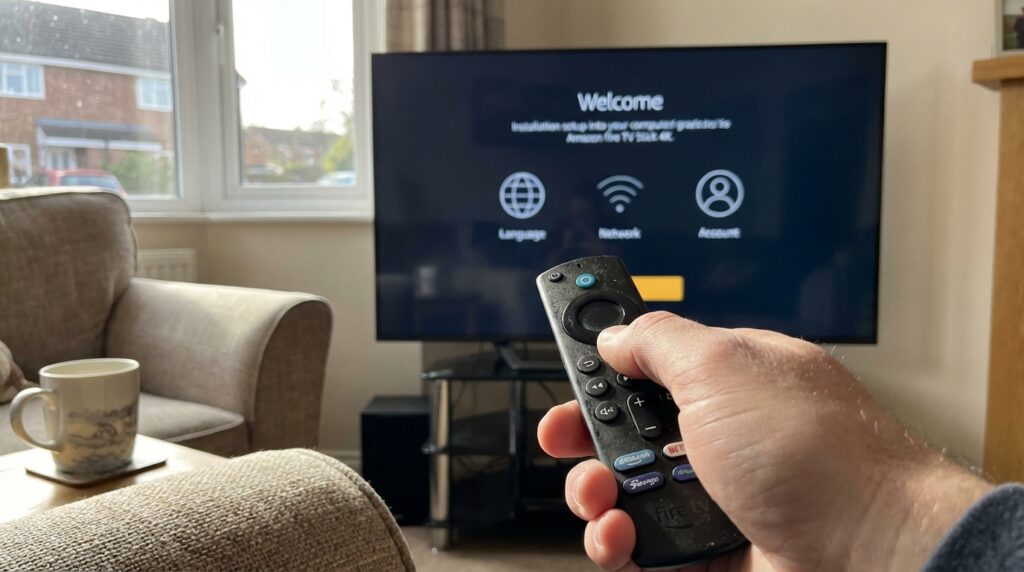
An intuitive installation process should guide users through every step without assuming prior technical knowledge. Credential entry — including username, password, and portal URL — should be clearly labeled and forgiving of common input errors. The time from downloading an app to watching your first piece of content should be measured in minutes, not hours.
This feature matters particularly for Smart TV installations, where users are often working with remote controls rather than touchscreens or keyboards, and where typing can be slow and cumbersome. The clearer and more forgiving the setup process, the broader the audience a platform can serve.
Spotlight: IPTV Smarters Pro Capabilities
IPTV Smarters Pro stands as one of the most recognized names in the OTT player space, and its reputation rests on a combination of robust performance features and broad accessibility.
At its core, the platform delivers high-performance playback across four primary content types: Live TV, Video on Demand (VOD), Series, and TV Catchup. This comprehensive coverage means users are not juggling multiple applications for different types of content — everything lives within a single, unified interface.
Format flexibility is another area where IPTV Smarters Pro distinguishes itself. The app supports both M3U and JSON playlist formats, accommodating a wide range of IPTV subscription providers. Beyond remote playlists, it also handles content from local storage, giving users additional options for how they access and organize their media.
The design philosophy balances power with approachability. The interface is built to be visually attractive without sacrificing the clarity that non-technical users need. Navigation is logical and consistent across supported devices, and the app’s layout scales appropriately from smartphone screens to large Smart TV displays.
Step-by-Step Installation Guides
Samsung Smart TV Setup
Getting IPTV Smarters Pro running on a Samsung Smart TV is a straightforward process:
- On your remote, press the Source button to access the input selection menu.
- Navigate to the app store section and use the search function to locate IPTV Smarters Pro.
- Download and install the application.
- Once installed, open the app and log in using your Username, Password, and Portal URL provided by your IPTV subscription service.
Within a few minutes, your content library should be accessible and ready to stream.
LG Smart TV Setup
For LG Smart TV users, the process is equally accessible:
- Press the Home button on your remote to open the main menu.
- Navigate to the LG Content Store, which serves as LG’s official app marketplace.
- Search for IPTV Smarters Pro and proceed with the download and installation.
- Open the app and enter your subscription credentials — Username, Password, and Portal URL — to complete the setup.
Important Note for Smart TV Users: It is worth being aware that certain Premium version features available on mobile and desktop platforms — including the Master Search function — may not be fully available on Samsung or LG Smart TV versions of the application. This is a platform-level limitation rather than a subscription issue. Users who rely heavily on advanced search capabilities may find the mobile or desktop versions better suited to their needs.
Safety, Privacy, and Legal Compliance
Understanding the nature of an OTT player app is essential for using it responsibly — and for staying on the right side of the law.
IPTV Smarters Pro operates on what can be described as a “player-only” model. The application is an advanced media player and content management tool. It does not provide, host, or supply any playlists, channels, or audiovisual content of its own. Think of it the way you might think of a DVD player: the player itself is simply a device; the content comes from discs you supply separately.
This distinction carries meaningful legal implications. Users are entirely responsible for ensuring that the content they access through the app is legally obtained and that they hold the appropriate rights to view or record it. Accessing copyrighted content through unauthorized IPTV services is illegal in most jurisdictions, regardless of the player being used — and that responsibility rests with the individual user, not the application.
On the security front, a critical caution deserves emphasis: always download IPTV Smarters Pro from official, verified sources only. The popularity of the platform has unfortunately attracted imitators, and counterfeit versions of the app have been found to carry malware or phishing functionality designed to steal credentials. Using an official version from trusted app stores eliminates this risk and ensures you are working with legitimate, up-to-date software.
Conclusion
The streaming landscape has matured to the point where the technology powering your viewing experience is just as important as the content itself. Choosing an OTT player app that delivers on the features outlined above — multi-device compatibility, intuitive UI design, fast playback, adaptive quality, external player support, multi-screen convenience, and easy setup — is the difference between a platform you enjoy and one you tolerate.
IPTV Smarters Pro brings these capabilities together in a single, well-designed package that serves casual viewers and experienced streamers alike. Whether you are setting it up on a Samsung Smart TV for the first time or configuring it on multiple devices across a household, the platform is built to make the process accessible and the result enjoyable.
Frequently Asked Questions
How does adaptive streaming quality actually improve my experience? Adaptive quality works by continuously reading your connection speed and automatically lowering or raising the video resolution to match what your bandwidth can comfortably handle. Instead of freezing or buffering when your connection fluctuates, the picture quality adjusts slightly — keeping playback smooth and uninterrupted. Most viewers never notice the quality shift; they only notice the absence of buffering.
Why is device compatibility the most important feature for modern viewers? Because modern viewing is inherently multi-device. The average household uses smartphones, tablets, and Smart TVs interchangeably for streaming. An OTT player that performs well on one device but poorly on another creates a fragmented, frustrating experience. True multi-device compatibility means your content, preferences, and playback experience remain consistent across every screen you use — which is what makes a streaming platform genuinely convenient rather than just technically functional.
Is IPTV Smarters Pro free to use? IPTV Smarters Pro offers versions across different pricing tiers. The core functionality is accessible, though certain advanced features are reserved for the Premium version. Note that the app itself requires a separate IPTV subscription from a third-party provider to access streaming content — the application is the player, and content comes from your chosen service.
Can I use IPTV Smarters Pro on multiple devices simultaneously? This depends on the terms of your IPTV subscription provider rather than the app itself. The application supports multi-device installation, but concurrent stream limits are typically set by your content provider’s subscription plan.
What should I do if I encounter playback issues? Start by checking your internet connection speed and stability. If the connection is strong, try clearing the app’s cache, verifying that your playlist URL is correct and active, or switching to an external player to test whether the issue is format-related. For persistent problems, reaching out to your IPTV subscription provider is usually the most effective next step, as most issues originate at the content source rather than the player.